
PDFill PDF and Image Writer is an advanced virtual printer that allows you to easily print your documents in PDF and image file formats.
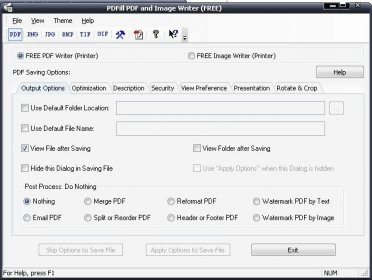
For PDF printing it provides many wonderful options to you such as controlling the Adobe Acrobat version compatibility. The title, author, subject, keywords, creator and date of the PDF document can be set at the printing time. The program can optimize your to-be-printed PDF file for screen, E-book and printer use. PDF's security including setting an on-access password, owner's password can be set including controlling of many security options such as restricting printing, modifying, copying, filling forms and more. You can turn your PDF file into a real presentation, control the page layout options and even rotate/crop your document.
Before the creation of your document, you can set different advanced post-process actions such as merging the PDF file into another one, emailing the PDF as a file attachment, splitting the PDF file into parts, reformatting the PDF layout, adding a header and footer to your PDF or adding a text/image watermark.
For image printing, it provides the ability to print your documents as a PNG, JPG, BMP, TIFF, GIF image. Thanks to the advanced program options, you can fully control each image format specific features such as resolution and quality.






Comments